
DuliDuli Open Platform
EN

简体中文
繁體中文
English

When a third-party application initiates an API call, it must include the AccessToken parameter. The AccessToken parameter is obtained using the EnterpriseID, AppID, and AppSecret.
The specific steps are as follows:
Obtaining AppID & AppSecret
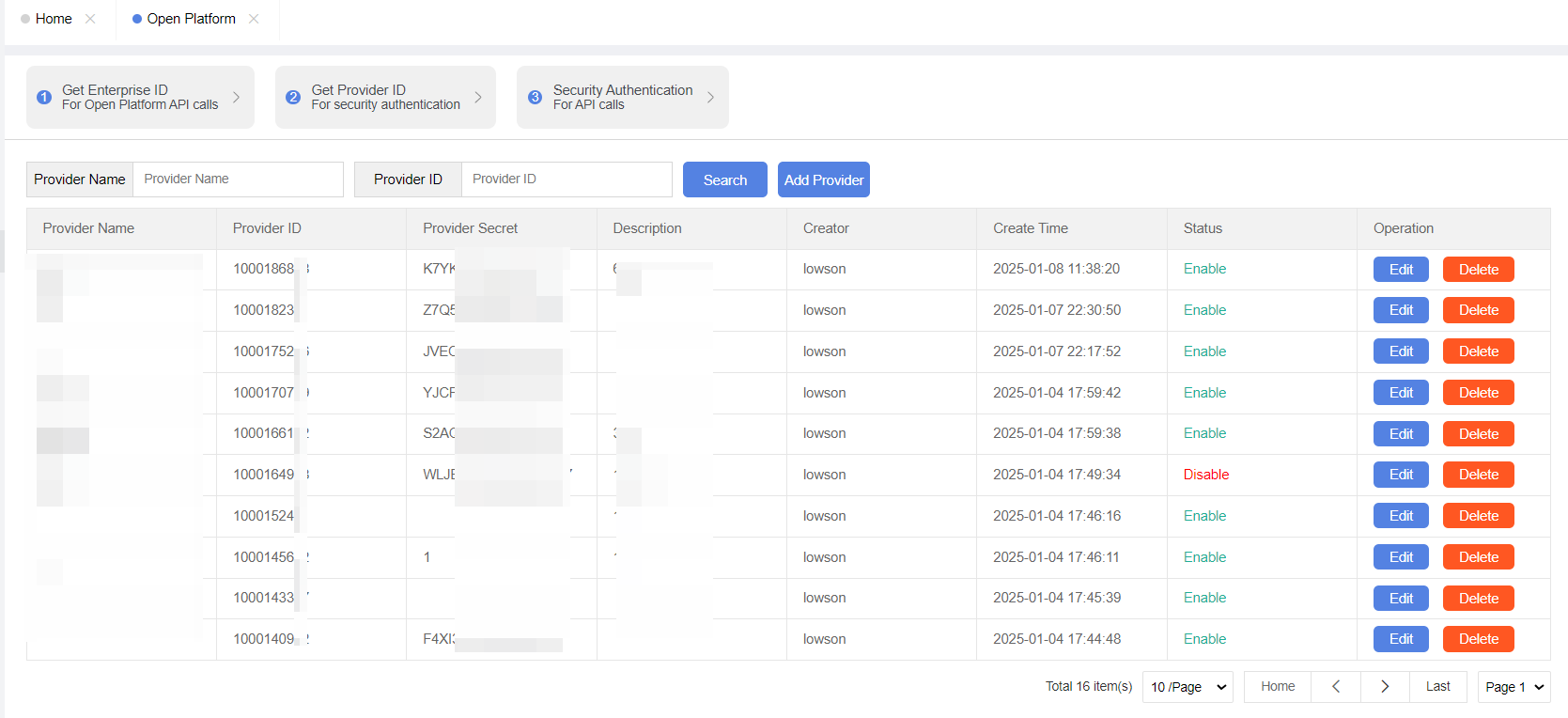
Log in to the management backend, then navigate to the Open Platform -- Access Provider Management to add a new access provider. After successful creation, you can find the corresponding application in the list. Clicking on it will pop up an information box displaying the AppID and AppSecret.
Request
Obtain an AccessToken by calling the following interface using EnterpriseId, AppID, and AppSecret:
The actual API endpoint address will depend on the deployment environment.
Headers
Headers | Desc |
Content-Type | application/json |
Parameters
json
Parameters | Type | Description |
enterprise_id | String | Enterprise ID |
app_id | String | Provider ID |
app_secret | String | Provider Secret |
Return
json
Return Fields
Fields | Type | Description |
access_token | String | Identity |
expire_time | String | Expiration Time of access_token |
app_id | String | Current Access Provider ID |
Error Codes
code | message | Description |
100020 | invaild enterprise id | invaild enterprise id |
100021 | invaild app id | invaild app id |
100022 | invaild app secret | invaild app secret |
