
DuliDuli Open Platform
EN

简体中文
繁體中文
English

DuliDuli's custom-built applications have the following capabilities:
Application Homepage
The application homepage can be configured as an H5 webpage. Once configured, it will appear on the workbench, and clicking on it will directly take you to the H5 webpage.
Authorization and Login
After creating an application in the DuliDuli management backend, you can use single sign-on to access third-party systems, allowing existing enterprise systems to be integrated into the DuliDuli system as applications.
Log in to the management backend, select the corresponding organization, then click the "Application Management" menu, and click the "Add" button for custom-built applications to enter the application creation interface.
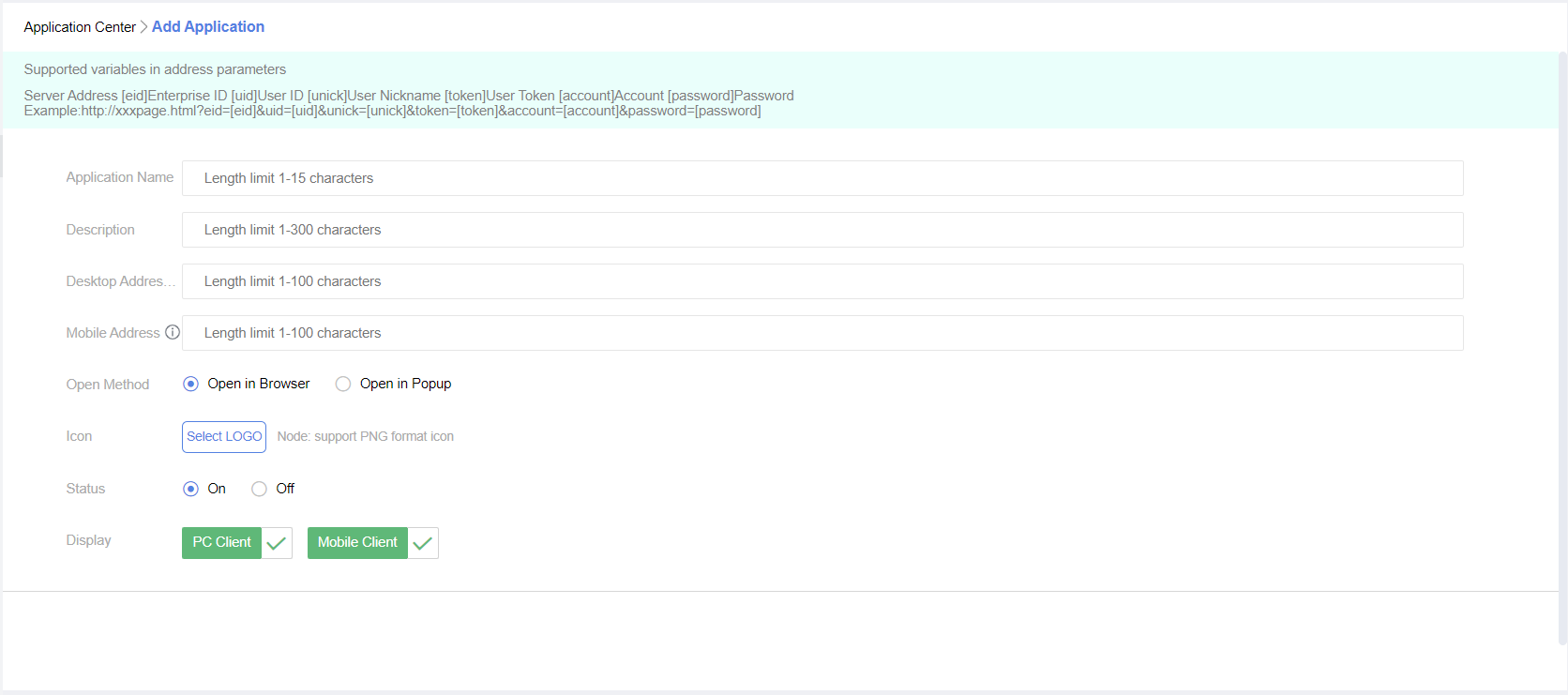
The access URL for the application, typically in the form of "http(s)://". Additionally, the entry supports parameter placeholders, which the client will automatically fill in when the application is opened.
The supported parameter placeholders include the following attributes:
Field Name | Description |
[eid] | Enterprise ID |
[uid] | User ID |
[unick] | User nickname |
[token] | User token (for single sign-on verification) |
[account] | User account |
DuliDuli's custom-built applications have the following capabilities:
Application Homepage
The application homepage can be configured as an H5 webpage. Once configured, it will appear on the workbench, and clicking on it will directly take you to the H5 webpage.
Authorization and Login
After creating an application in the DuliDuli management backend, you can use single sign-on to access third-party systems, allowing existing enterprise systems to be integrated into the DuliDuli system as applications.
Log in to the management backend, select the corresponding organization, then click the "Application Management" menu, and click the "Add" button for custom-built applications to enter the application creation interface.
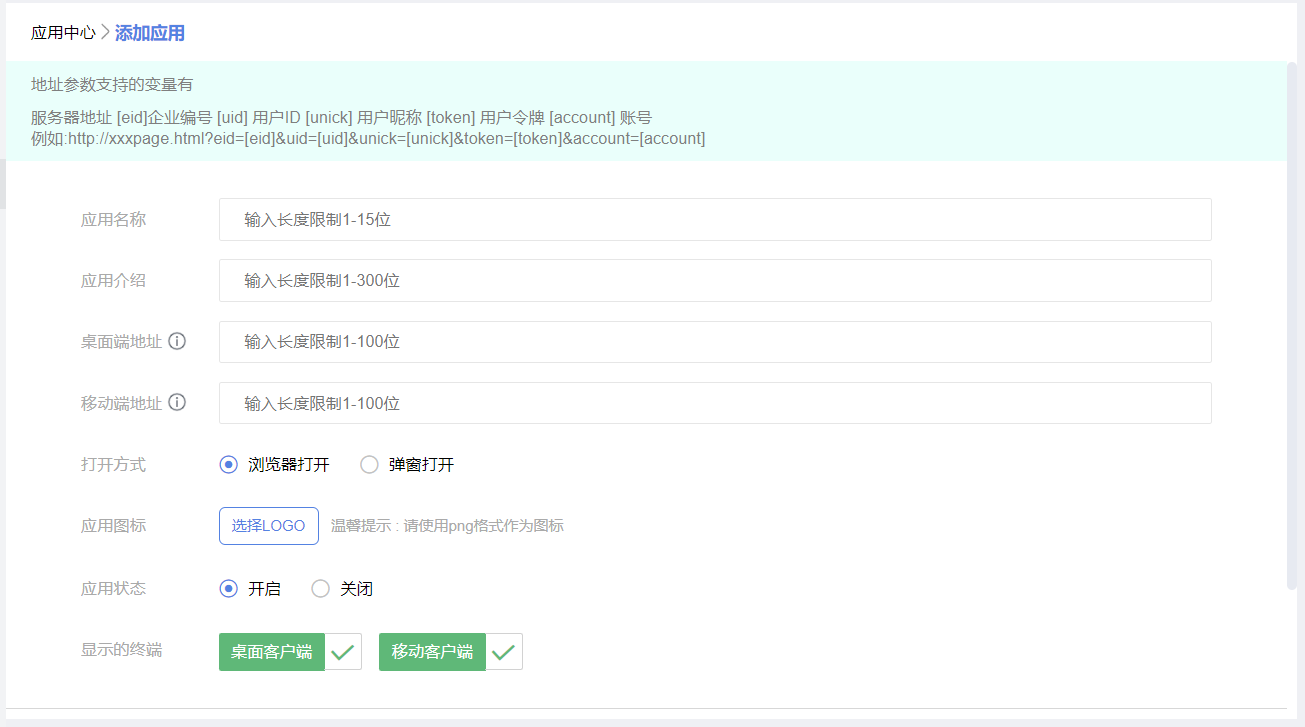
The access URL for the application, typically in the form of "http(s)://". Additionally, the entry supports parameter placeholders, which the client will automatically fill in when the application is opened.
The supported parameter placeholders include the following attributes:
Field Name | Description |
[eid] | Enterprise ID |
[uid] | User ID |
[unick] | User nickname |
[token] | User token (for single sign-on verification) |
[account] | User account |
